


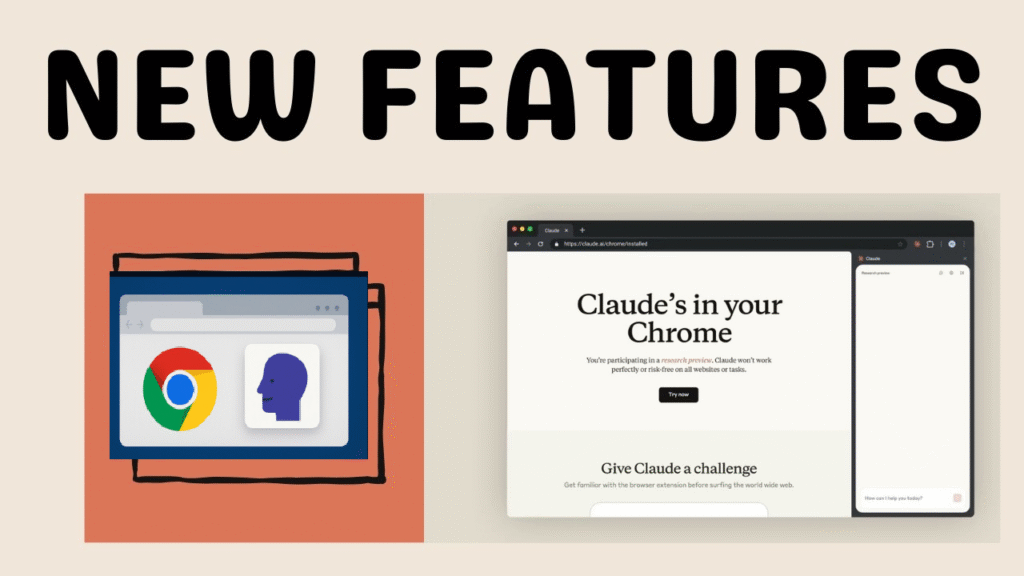
Why This Claude Tool Is So Cool for Your Browser
Hey there! In 2025, AI is making our online life way easier, one exciting new thing is the Claude Chrome extension from a company called Anthropic. It’s like having a smart buddy right in your Google Chrome browser. This tool lets Claude AI chat with you, read web pages, sum up info, fill forms, and even do tasks for you—all from a little side window.
If you’re wondering “how do I get this Claude Chrome extension,” you’ve come to the right spot. Right now, in August 2025, it’s only available to a small group for testing. But don’t worry—I’ll explain everything step by step. We’ll cover what it is, why it’s great, who can get it, how to sign up, tips for using it, any risks, and other options if you can’t get it yet. This guide is simple and straightforward, so anyone can follow along. Let’s jump in and see how this can make your browsing faster and more fun!
What Is the Claude Chrome Extension?
The Claude Chrome extension is a new add-on for Google Chrome made by Anthropic. They call it “Claude for Chrome.” It came out for testing in August 2025. It puts Claude AI right into your browser.
Unlike regular chat AIs that just talk in a box, this one opens a side panel. There, Claude can see what’s on your screen, read the webpage, and do things like click buttons or type for you. It’s based on Anthropic’s work to connect Claude to everyday stuff like emails or calendars—and now browsers.
The best part? It’s like an AI helper that acts on its own. For example, you could say, “Find cheap flights from New York to London next week and book one.” Claude would go to travel sites, check prices, and help book—with your okay. This is super helpful for people who do research, shop online, or create content.
But it’s not open to everyone yet. Anthropic is testing it with just 1,000 people first to make sure it’s safe and works well.
How Claude AI Has Grown and Fits into Browsers
Claude AI started as a smart chatbot that’s helpful, honest, and safe. Now, with this extension, it jumps into your browser where you do most online work.
In 2025, lots of AIs are adding browser tricks, like ChatGPT or Google’s tools. But Claude stands out because it thinks step by step without making up stuff. It’s great for tricky jobs like tracking expenses or checking markets.
Cool Features and Why You’ll Love the Claude Chrome Extension
Why should you care about getting this extension? It has awesome perks, especially if you use your browser a lot. Here’s what it can do:
Helping with Web Stuff in Real Time
Claude can move around websites, click things, and fill out forms by itself. Say you’re shopping: Tell it, “Check prices for headphones on Amazon and Best Buy, then pick the best deal.” It does the work fast.
This saves tons of time on boring tasks. People testing it use it for calendars, emails, or even checking new websites.zdnetyoutube
Summing Up and Explaining Content
Got a long article? Claude reads it and gives you a quick summary or explains the main points. It’s like a study buddy for students, writers, or anyone who reads a lot.
Chatting That Remembers
The side panel keeps track of your talk, so you can ask more questions without starting over. Like, “From this page, what’s a better option?” It gives answers that fit.
Making Work Easier for Different Jobs
It helps all kinds of people:
- Marketers: Let it check competitors and sum up info.
- Coders: Use it to test forms or fix site issues.
- Researchers: Pull together facts from many pages quickly.
In short, it makes you faster, less stressed, and more creative. Testers say it’s “amazing” how it changes browsing.
Who Can Get It? What You Need
Before you try to get it, check if you qualify. In 2025, it’s limited to keep things safe and get good feedback.
What Plan Do You Need?
You must have a Claude Max subscription. It costs $100 a month for the basic one (with more limits) or $200 for extras like faster use. This is for people who use Claude a lot. If you’re on free or basic, upgrade first.
Age and Account Check
You have to be 18 or older with a real Claude account. They’ll check your email and plan when you sign up.
Tech Stuff You Need
- Google Chrome on a computer (not phones).
- Good internet.
- Be ready to share your thoughts, since it’s a test.
If you don’t fit, look at other tools later in this guide.
Easy Steps: How to Get and Set Up the Claude Chrome Extension
Let’s make this simple. Here’s how to join and install it.
Step 1: Check Your Claude Max Plan
Go to claude.ai and log in. Look at your settings to see if you have Max. If not, sign up for it there.
Step 2: Sign Up for the Waitlist
Head to claude.ai/chrome. Fill out the form with:
- Proof you’re 18+.
- Your Claude email.
- Your Max plan info.
- A quick note on how you’ll use it (like “For quick research”).
- Okay to get emails for feedback.
Send it in and wait. They start with 1,000 spots and add more slowly.
Step 3: Get Your Approval Email
They’ll email you when you’re in—maybe in a few weeks. The email has a link to download.
Step 4: Add It to Chrome
- Open Chrome.
- Click the link to the Chrome store.
- Hit “Add to Chrome” and say yes to what it needs (like reading pages).
- Log in with Claude.
- Pin it to your top bar so it’s easy to find.chromewebstore.
Step 5: Set It Up and Start
Click the icon to open the panel. Pick which sites it can use—start with safe ones. Give permissions, and you’re good to go.
If something goes wrong, check Anthropic’s help pages.
Tips for Using the Claude Chrome Extension Well
Got it installed? Here’s how to make the most of it.
Starting Out
Open the panel and type something like “Sum up this page.” Claude will do it.
Doing Bigger Tasks
Give clear instructions: “Find Seattle apartments under $2000 and list the top three with links.” It searches and lists them.
Smart Ways to Use It
- Make prompts detailed but simple.
- Break big jobs into steps.
- Watch what it does and stop if needed.
Try it for job hunts (filling forms) or emails (sorting and replying).
Watch Out: Risks and How to Stay Safe
This tool is powerful, but there are risks, like bad sites tricking Claude into wrong actions.
Main Risks
- Bugs in the test version.
- Sharing info on private sites (don’t use for banks or health).
Tips to Be Safe
- Stick to sites you trust.
- Check actions before okaying them.
- Tell Anthropic about problems.
- Update your browser often.
Anthropic is careful, so help them improve by sharing feedback.
Other Options If You Can’t Get Claude Yet
Waiting too long? Try these similar tools:
- Chat AI Extension: Good for chats and writing with Claude vibes.chromewebstore.google
- Perplexity Comet: Helps with browser tasks.
- BrowserMCP with Claude Desktop: For more setup options.
They give you AI help while you wait.
(Word count so far: 1472)
FAQs: Quick Answers to Common Questions
Here are 10 questions people ask a lot, with easy answers.
- What is the Claude Chrome extension?
It’s a tool that puts Claude AI in your Chrome browser for help and tasks.anthropic+1 - How do I sign up for the waitlist?
Go to claude.ai/chrome and fill the form if you have Max. - Is it free?
No, you need a Claude Max plan from $100 a month. - What devices work?
Just computer Chrome, not phones. - Can it book flights or shop?
Yes, if you allow it to use sites.creolestudios+1 - Are there risks?
Yes, like tricks from bad sites; use carefully.cnet+1 - How is it different from other AI tools?
It’s great at step-by-step jobs.youtube - When can everyone get it?
No date yet; they’re testing slowly.anthropic - Good for work?
Yes, for planning or research. - What if I don’t get in?
Use tools like Chat AI until then.chromewebstore.google
There you go—this simple guide helps you get the Claude Chrome extension. As AI gets better in 2025, tools like this will change how we browse. If you have questions, drop a comment!